

Blink Copilot Best Practices
- Be clear and precise: Providing clear and specific instructions will assist
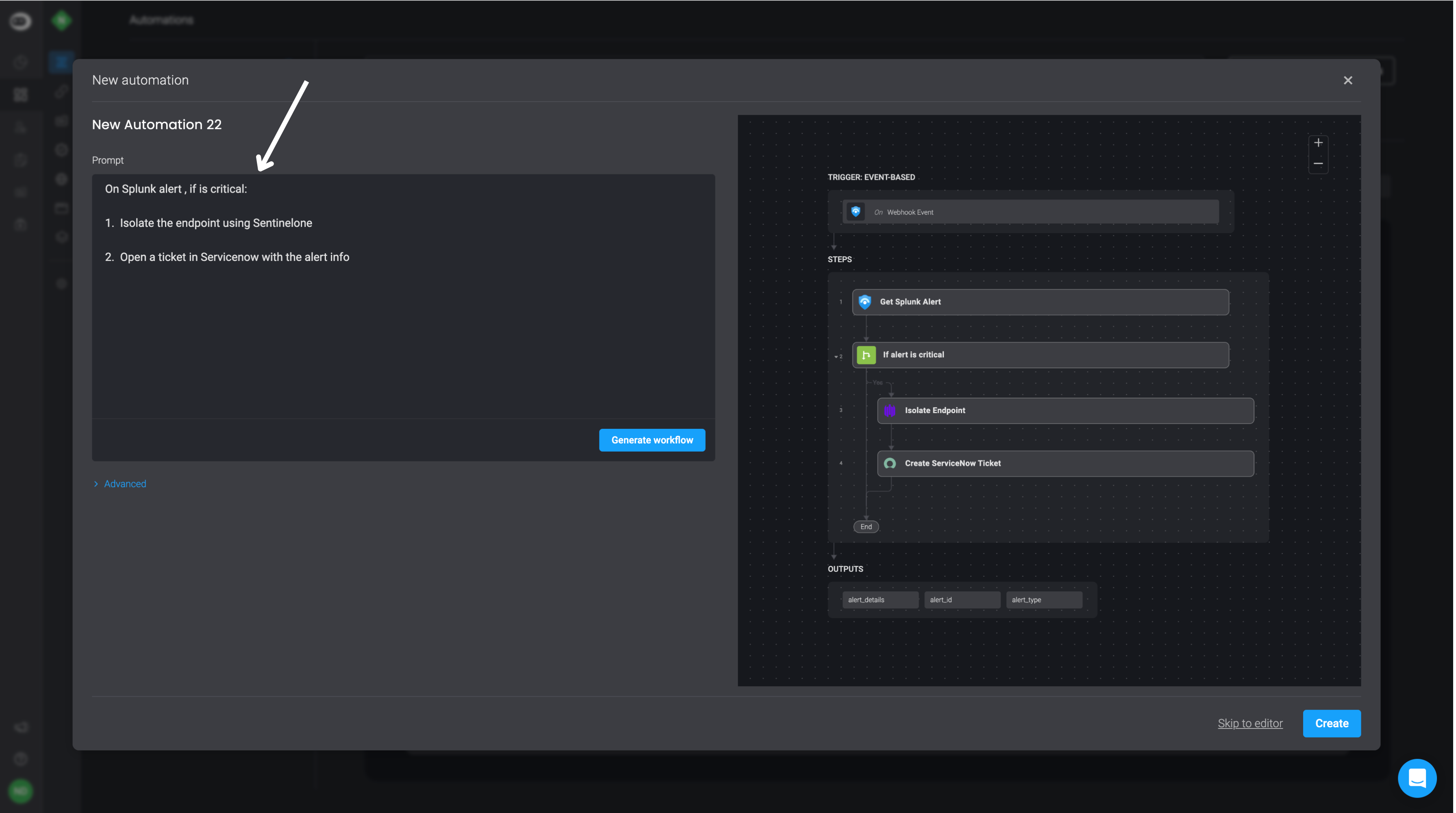
Blink Copilotin understanding your instructions clearly. - Use complete integration names: For example, instead of using generic terms like Compute Instance, specify the full name of the relevant integrations, such as AWS EC2 Compute Instance.
- Refrain from using unknown or unrecognized vendors in your prompt.
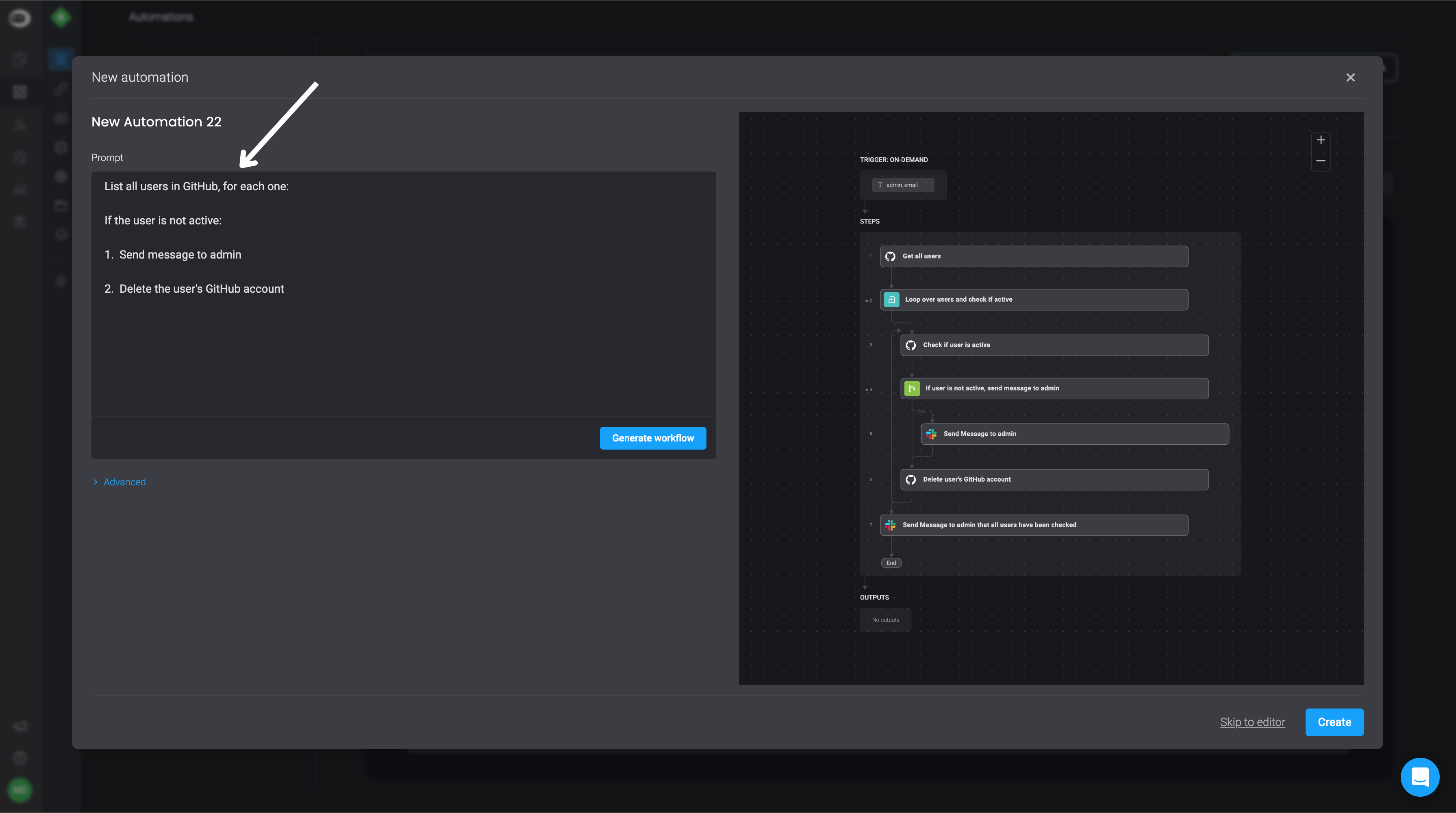
- Using the word loop in your prompt will likely generate a looping action in the results. Try to be as descriptive as possible about what you want the loop action to accomplish.
- Keep it simple and concise: To tackle complex workflows effectively, consider breaking your prompt instructions into bullet points, ensuring each bullet point prompt is concise and straightforward. For Example:
Blink Copilot Limitations
Blink Copilotdoes not support working with Tables, text blocks, and the switch case utility action.- Sometimes results may be incorrect or invalid.
- Workflows that involve multiple integrations may not generate properly.