Skip to main content
Blink Documentation home page
Search...
⌘K
Ask AI
Login
Get Started
Get Started
Search...
Navigation
Runners
Sharing a Runner
Home
Getting Started
Workflows
Case Management
Blink Copilot
Platform
Integrations
Contact Us
Blog
Blink Platform
Overview
Workspaces
Runners
Overview
Deploying a Self-Hosted Runner
Managing Secret Managers
Object Storage
Runner Settings
Sharing a Runner
Updating a Runner
Configuring a Runner Group
Tables
Dashboards
Self Service Portal
Web Form
Account Management
Service Providers
Runners
Sharing a Runner
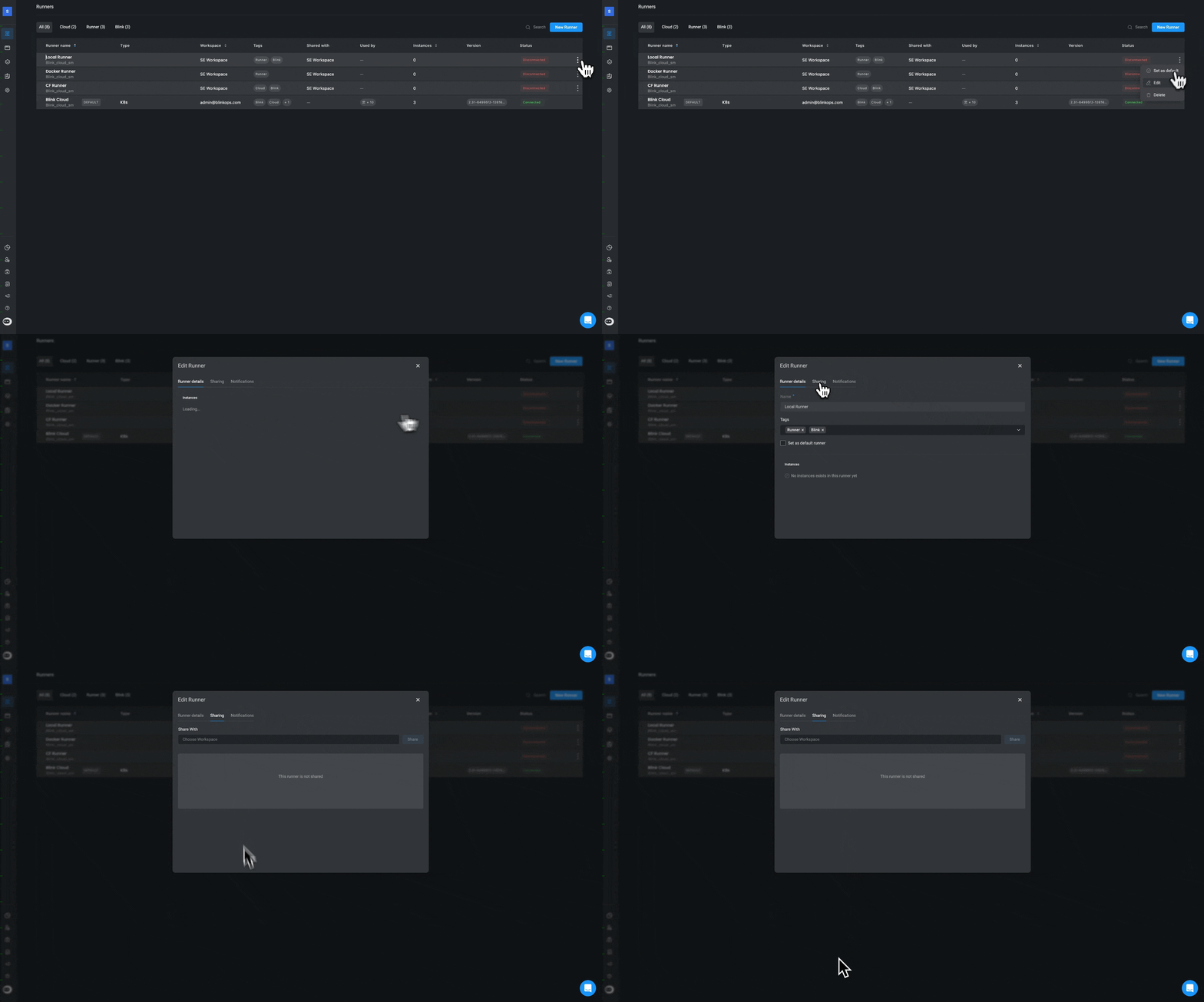
You can give permission for another Workspace to use a Runner you created, allowing all members of that particular workspace to use the Runner.
Click on the three dot menu
next to the Runner you would like to share.
Select a workspace from the dropdown menu. Members of this workspace can now use the runner.
Was this page helpful?
Yes
No
Runner Settings
Updating a Runner
⌘I
Assistant
Responses are generated using AI and may contain mistakes.


 next to the Runner you would like to share.
 next to the Runner you would like to share.